Securing a Restaurant with 12 Locations through Advanced Discounts
I designed advanced discount capabilities to compete for mid-market customers based on user research and sales feedback I collected. This secured a mid-market customer with 12 locations. The new experience launched to 40+ beta customers and processed $6.7M in sales transactions with 5,100+ discounts applied, totalling $23,000 in customer savings over 3 months.
Context
TouchBistro is a Restaurant Management and POS Company
Restaurants use TouchBistro's Cloud platform (a web-based management system) to configure their menus, staff, and settings, which sync across multiple venues and to their POS (point-of-sale) systems.
Problem
Missing Mid-Market Opportunities Due to Limited Discount Features
The sales team reported consistent interest from mid-market customers (restaurants with 10+ locations) wanting to partner with TouchBistro, but our discount capabilities fell short. Prospects needed more advanced discount features to maintain their existing workflows and new capabilities to support their growth.
This gap presented a strategic opportunity to evolve our discount solutions and capture a new market segment.
Research
Understanding Customer Needs
Before designing a solution to capture the mid-market's needs, I wanted to ensure we weren't overlooking our existing customers and the challenges they faced. I conducted a survey with current TouchBistro customers to understand how they use discounts, what pain points they experience, and what capabilities they were missing.
Surveying Our Existing Customers
I identified customers who made changes to their discounts in the last 3 months and worked with product marketing to craft a recruitment email for a survey. We received 55 responses from managers and owners across both full-service and quick service restaurants within one week.
Where Discounts Are Applied
Top Discount Motivations
What Customers Asked For
Problems with the Current Experience
While doing an audit of the current experience, I identified other areas we'd need to improve as well.
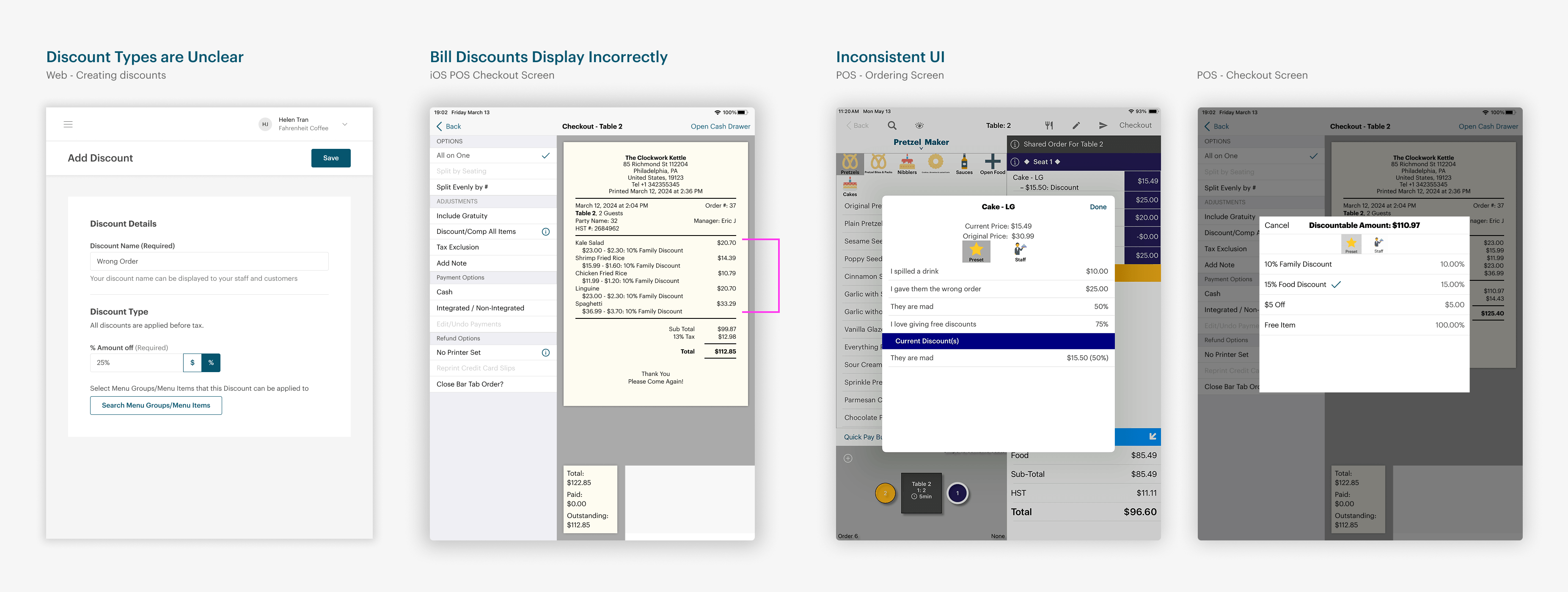
Discount Types Are Unclear
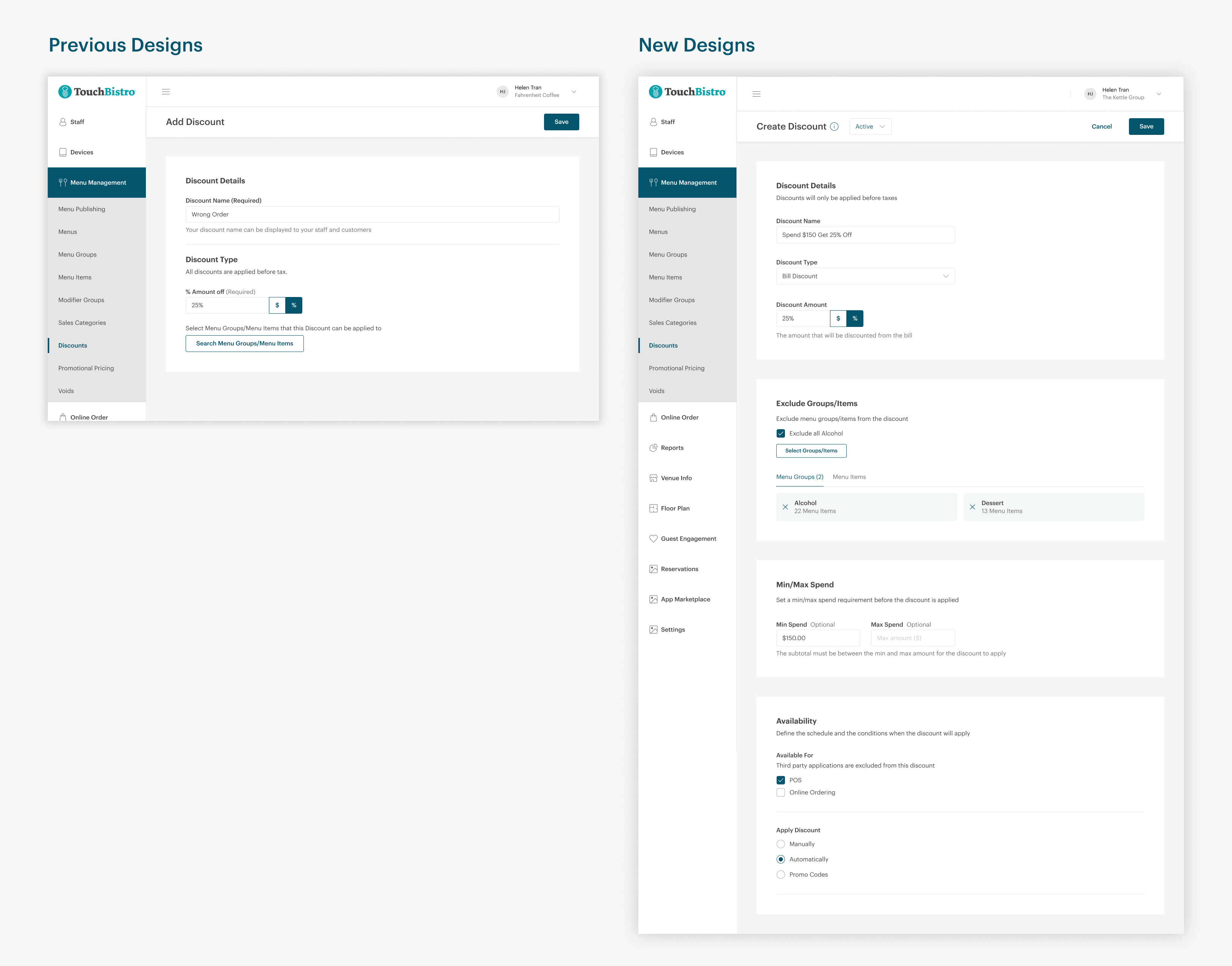
During discount creation, there's no distinction between item and bill discounts. Customers assume only item discounts exist.
Bill Discounts Display Incorrectly
Discounts appear under each item instead of as a single line after the subtotal, cluttering receipts and wasting paper.
Inconsistent UI
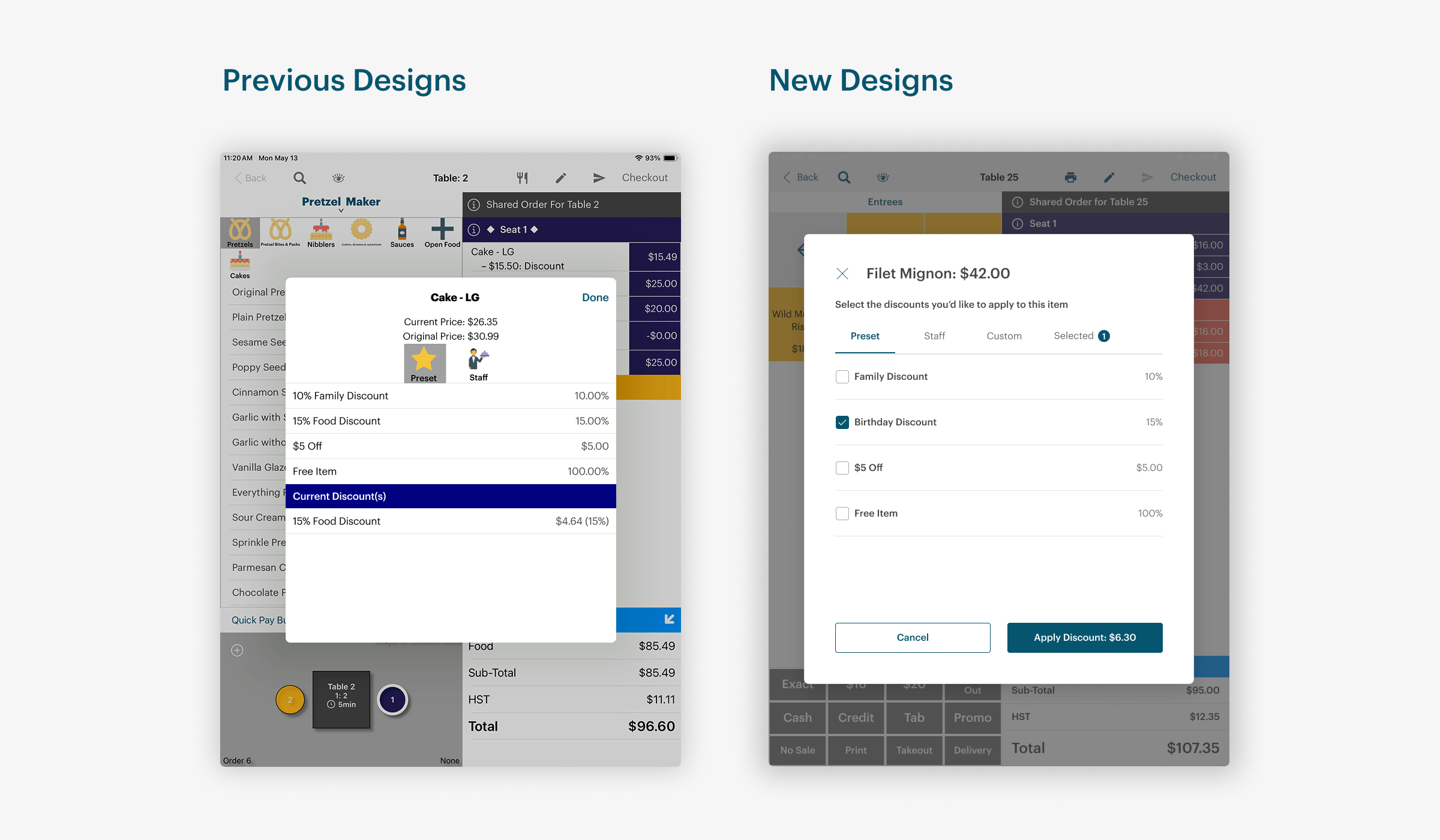
The discount experience varies between the order and checkout screens, creating an inconsistent experience for staff.
Prioritizing Needs
Working with the VP of Product, I mapped mid-market requirements against what our existing customers needed, finding where they overlapped and where they diverged.
1–5+ Locations
- Custom discounts
- Organized bill discounts
- Automatic discounts
- BOGO discounts
10+ Locations
- Promo codes
- Minimum spend
- Automatic discounts
- BOGOs and Combo discounts
- Scheduled discounts
Solution
Overhauling the Discount Experience
Cloud: Discount Configurations
To address the confusion around discount types, I redesigned the creation flow to explicitly distinguish between item-level and bill-level discounts. Businesses can now select a discount type (Item, Bill, BOGO, Combo, Cash), define the amount, specify eligible menu items and the condition when it can be applied. Mid-market customers identified promo codes as essential for their marketing campaigns. The new system allows businesses to configure custom promo codes with validity periods and application rules, solving a key adoption barrier.
POS: Applying Discounts and Promo Codes to Orders
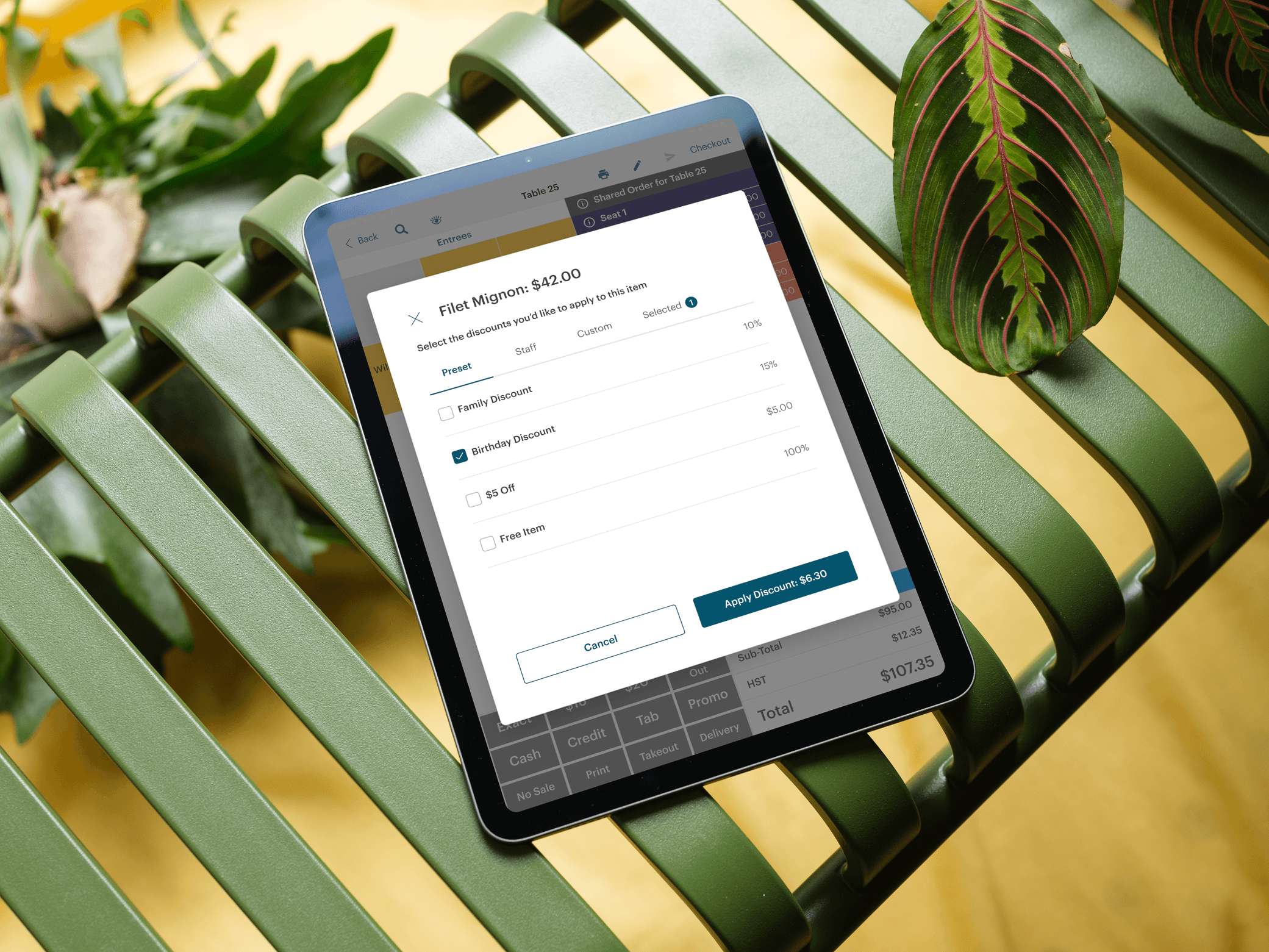
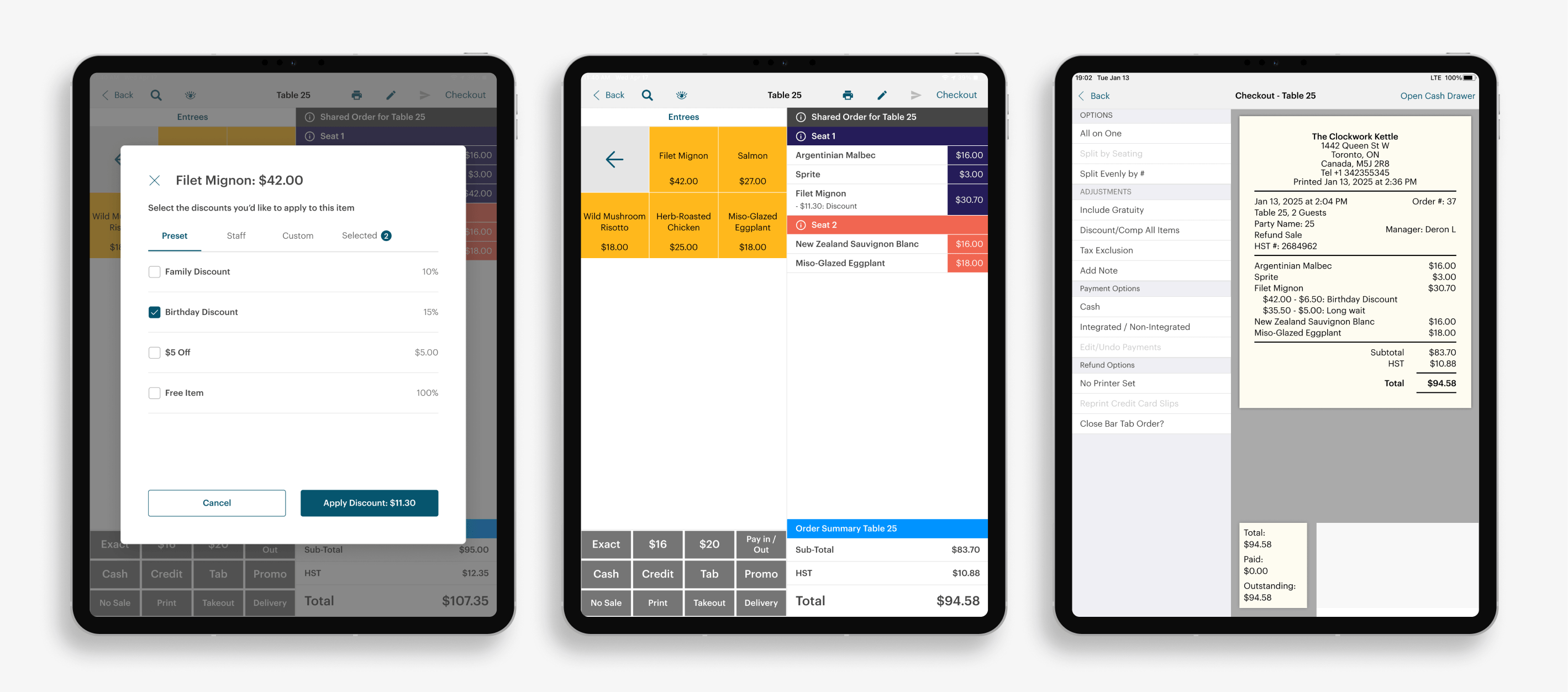
Staff can apply discounts using the new experience and create custom discounts for unique situations by specifying the reason and amount, addressing a top customer request for flexibility in their workflow. When customers provide a promo code at the venue, staff enter it on the POS to apply the discount.
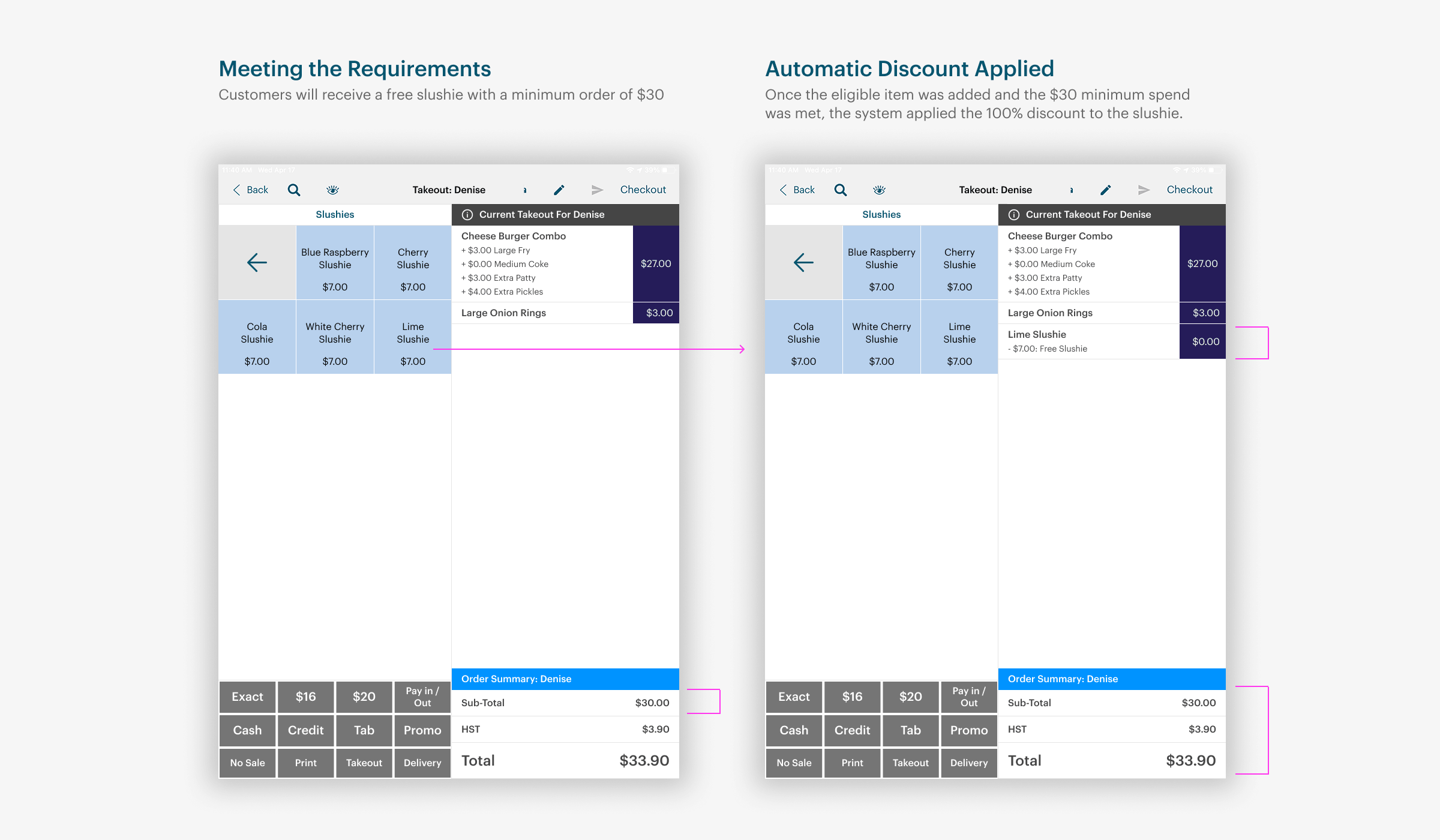
Automatic Discounts
Discounts apply automatically when the configured conditions are met (eligible items, minimum spend, schedule).
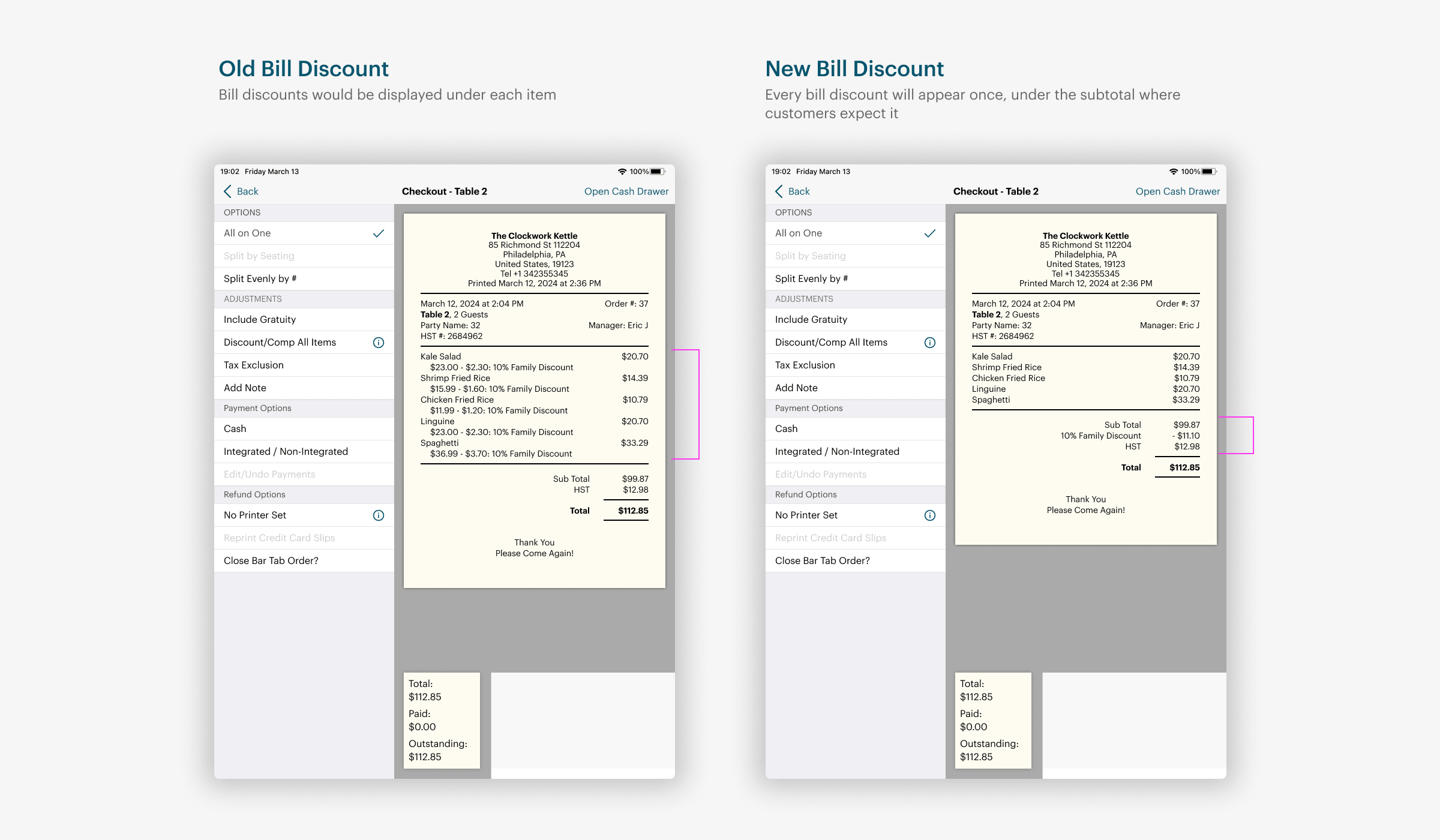
Improved Bill Discount Display
Bill discounts now appear as a single line after the subtotal, reducing receipt clutter and making them visually distinct from item discounts.
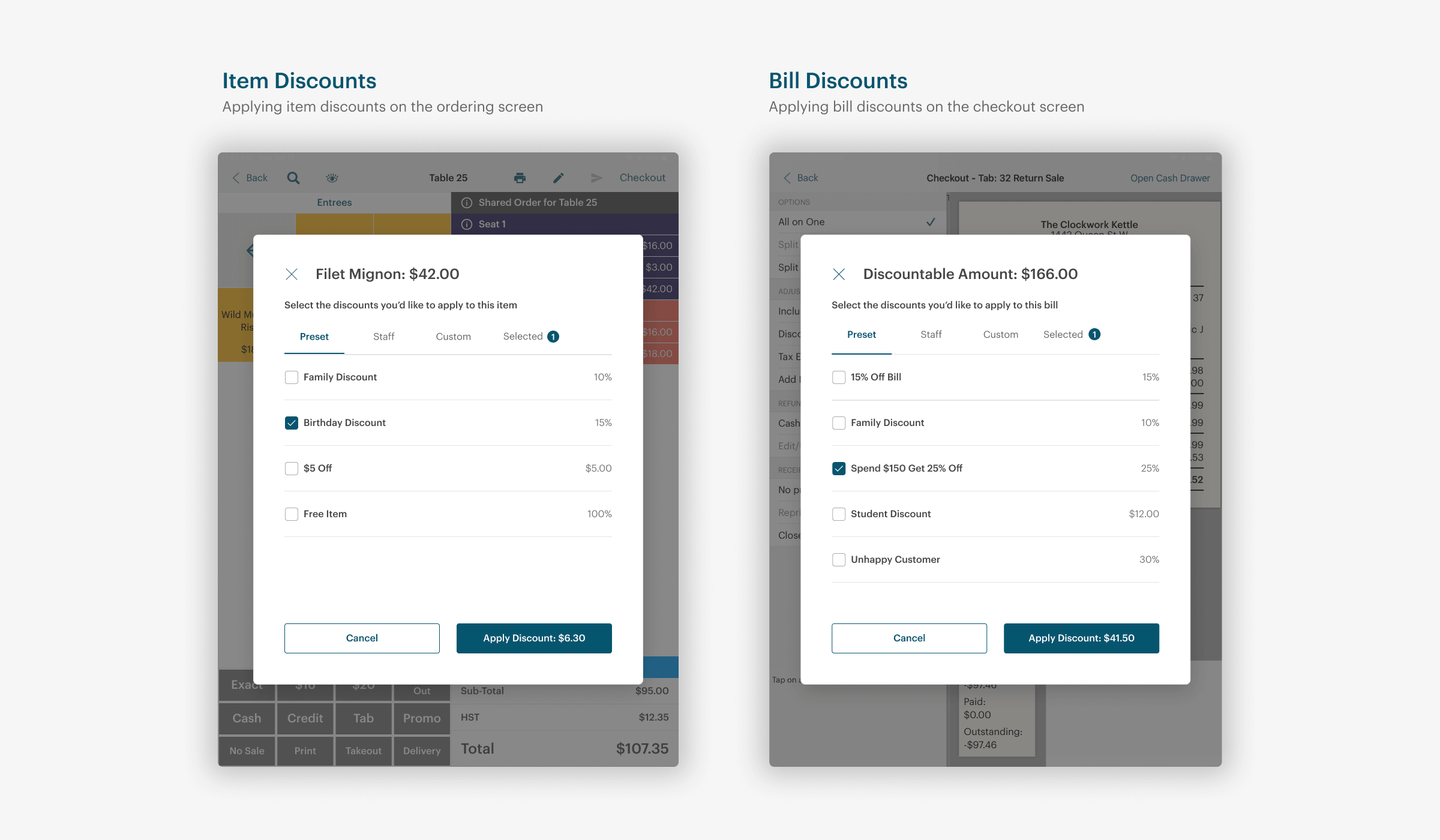
Unified Discount Modal
Standardized the discount modal and confirmation flow across the order and checkout screens, creating a consistent experience for staff.
Before and After
Discount Configurations
Applying Discounts
Validation
Launched to 40+ Beta Customers
The new experience was released to 40+ beta customers, processing approximately $6.7 million in sales transactions over 3 months with 5,100+ discounts applied and $23,000+ saved for customers.
Sales Transactions
Discounts Applied
Customer Savings
Phased Feature Rollout
Due to development timelines, features like BOGO, Combos, Cash Discounts, and Scheduling were postponed to a future release.
Things to Improve
Our team reached out to a few beta customers to see what could be improved.
- Businesses wanted to set exact start/end times (e.g., 6:00 PM) rather than waiting for the start or end of the business day for promo codes to be active
- Entering the promo code manually each time was tedious, staff would rather have the promo code selectable
- Max spend saw minimal usage and was planned to be removed
- Businesses wanted the ability to exclude certain menu items or groups from contributing to the minimum spend threshold
Impact
Secured First Mid-Market Customer Through Advanced Discounts
The advanced discount capabilities directly enabled TouchBistro to close a deal with a 12-location restaurant chain across Canada. This was one of the first mid-market customers acquired through this initiative.
Key Deciding Factors:
- Promo code integration with their existing mail coupon campaigns
- Automated discounts reducing manual errors and staff workload across all locations
- Manage all the discount configurations for all locations in one place
Reflection
Balancing New and Existing Customer Needs
When building for a new customer segment, we need to make sure we're not forgetting the needs of our existing customer segment. My research revealed that mid-market customers had some priorities that didn't overlap. Existing customers had specific pain points with the current system, while mid-market customers needed granular control over when, where, and how discounts applied.
This insight shaped my approach. Instead of simply expanding features, I focused on building flexibility through advanced configurations. This shift from "more features" to "more control" served both audiences.